
Your LinkedIn Summary is too important to leave blank. And a couple of short sentences won’t cut it either.
Get ideas and inspiration on what should go in this important section of your LinkedIn profile.
Why Your LinkedIn Summary Is Important
When it comes to writing your LinkedIn Summary, short and sweet isn’t the best strategy. In fact, it may be hurting you.
This section seems to be used by LinkedIn to evaluate skills and other keywords. (LinkedIn doesn’t share its algorithm, but experts have tested and experimented with this section and found it to be important.)
LinkedIn did report (in 2017)
Having 40 words or more on your summary ensures you show up in search results and people with at least five skills listed on their LinkedIn profile receive up to 17x more profile views.
Long ago, Human Resources would have to wait until the job interview to learn about you. But today, they can read your LinkedIn profile. This section is your opportunity to highlight your skills and experience. And you can go deeper than this. Explain your motivation, what drives you, or what you are known for.
Even if you choose NOT to use this section to share insight about yourself, others will. And because they’ve provided more information, the recruiter or HR rep gets a better sense of their fit.
What Should You Write
Your Summary is kind of like your pitch where you answer the question “tell me about yourself.” Humans are curious creatures and you can use your summary to answer questions about who you are.
You have 2,000 characters, use them wisely.
Write in the first person
First things first. Write your summary in the first person. Use “I,” “me” and “my”. It is your profile, you are writing it so use your own voice and personal pronouns.
Format for easy skimming
Make your summary easy to skim. (No one reads anything anymore.) This means short paragraphs, white space, clear subsections.
The first two lines are key
Only the first two-three lines are viewable without having to click “show more.” Use these lines to convince the reader they need to see more. You can do this by talking about the problems you solve for companies, the solutions you’ve implemented, or a teaser of some sort. Avoid including information they can already see when looking at the top of your profile (city, your headline, education, or last job and employer).
Tell your story and inject your personality
Don’t be generic or vanilla. Use your own story to highlight what makes you different.
- What obstacles have you overcome?
- What was a defining moment in your career?
- Why did you choose your career?
Show. Don’t just tell
One of the best features of your LinkedIn Summary section is the ability to embed files. Video, weblinks, photos, and pdfs. This means you can show samples of your work. If you’re comfortable, why not include a video and explain your career that way? Get more tips here.
Write about yourself like you are a business
Use the same logic businesses do when writing web content. They provide a compelling reason to do business with them. They talk about the problems they solve, what makes them different (and better) than the competition and how they are unique. They use SEO (search engine optimization) strategies to make sure someone searching for their service will find their page.
Include a list of keywords
At the end of your summary, include a list of keywords. This is the perfect opportunity to interject work processes, skills and technology you want to get in there without having to worry about using them in context. Introduce the list with the words “Key Skills” or “Expertise”
Include your contact info
You may choose to include your contact information (email and/or phone number) to make it super-simple for people not connected to you to reach out. If you are actively job searching, this can make it easier for recruiters to contact you.
Want more help maximizing your LinkedIn profile? Check out this 20 point checklist.
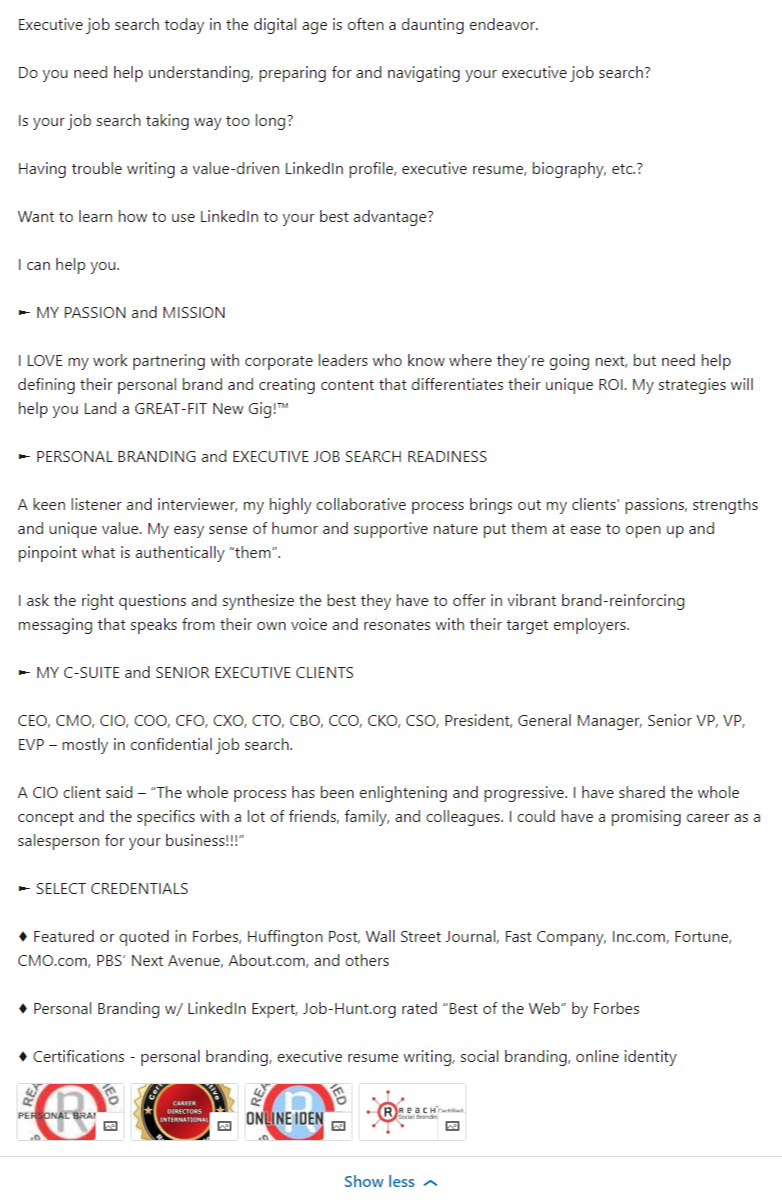
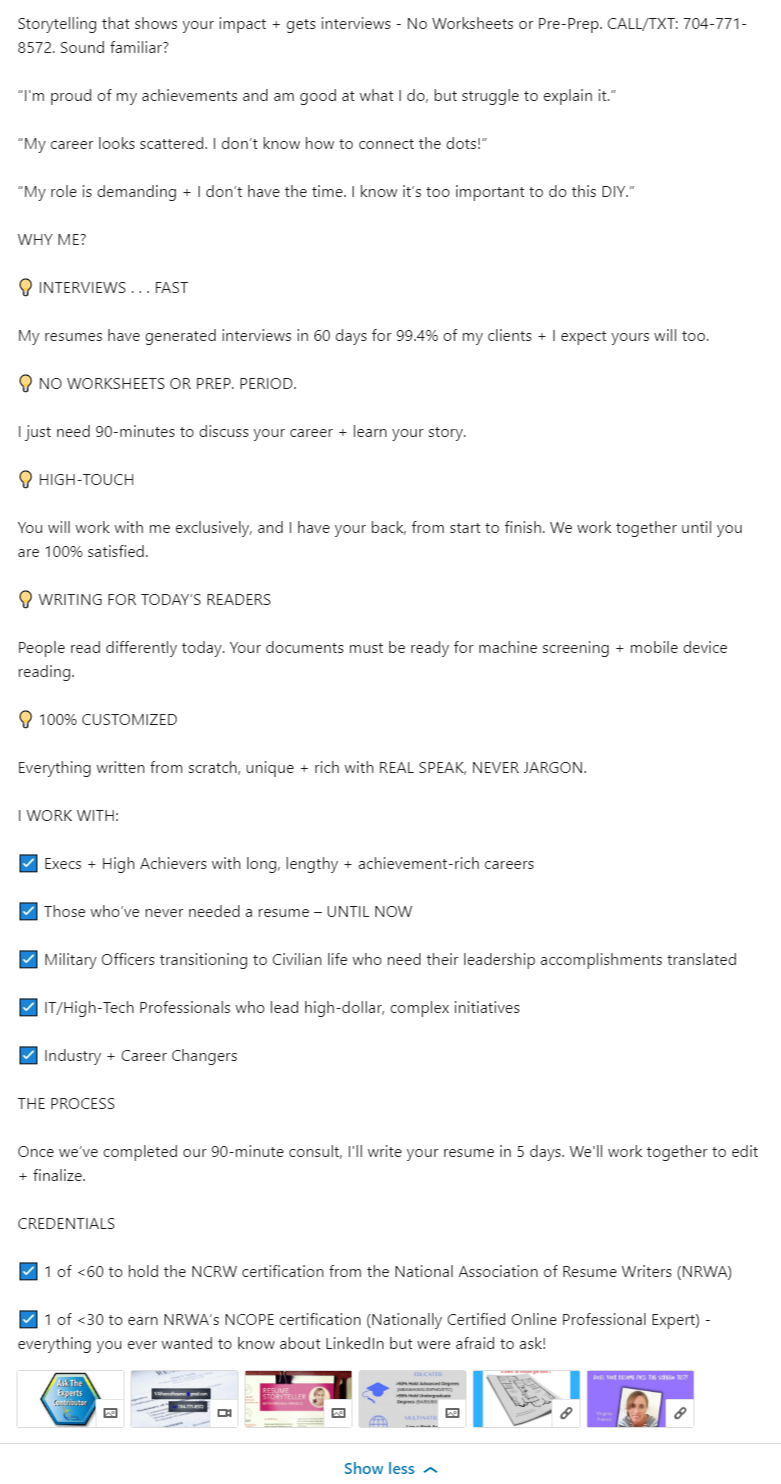
LinkedIn Summary Samples
Don’t copy these. Use them to generate your own amazing profile.
A special shoutout to Meg Guiseppi, Ed Han and Virginia Franco. (There are hundreds more great examples in my network, but I had to stop somewhere.)
Meg Guiseppi, Executive Resume Master
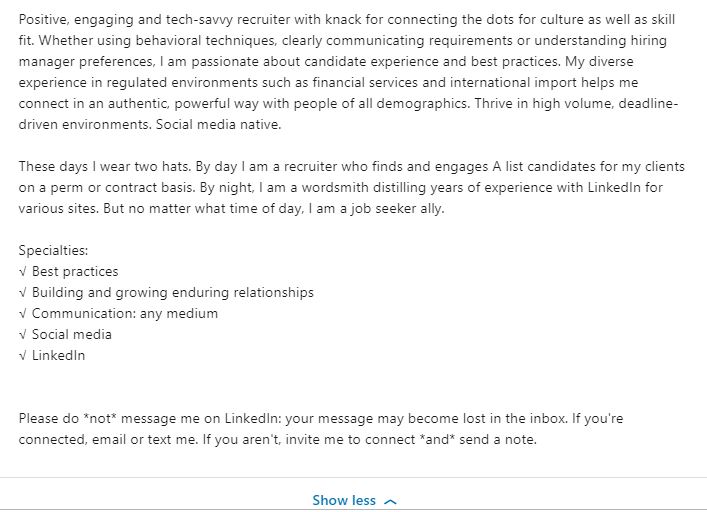
Virginia Franco, Executive Career Storyteller LinkedIn
Do you need more help with your LinkedIn profile?
Be sure to check out some of these articles:
Fix Your LinkedIn Headline Today
What’s the Best LinkedIn Headline for an MBA Candidate?
New LinkedIn Features You Should Know About
The post What To Put In Your LinkedIn Summary Section appeared first on Career Sherpa .
from Career Sherpa https://ift.tt/2OmH3qh



कोई टिप्पणी नहीं: